AI Powered Trading Tools

AISTRYX provides a structured environment for researching markets, analysing price action, executing trades, and reviewing decisions. All tools are designed to work together so information, context, and execution remain connected throughout the trading process.

The focus is on reducing fragmented workflows, limiting unnecessary inputs, and presenting market data in a way that supports faster and more informed decision making during live market conditions.

Research the Market

The research section consolidates overnight developments into a single, organised view. This includes global market news, earnings releases, macroeconomic data, central bank commentary, and sector level performance.

Daily Report

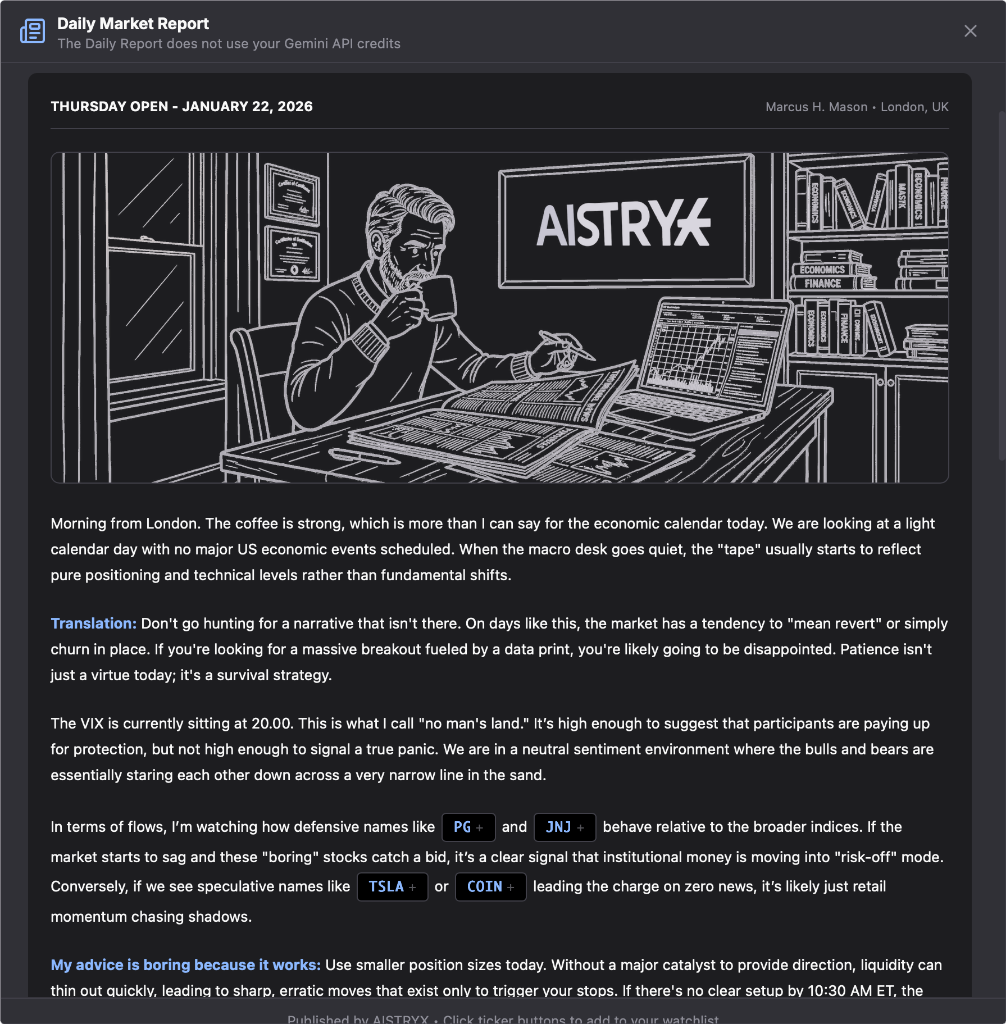
The daily report delivers a pre-market summary of events that are already influencing price action. It combines overnight news, earnings outcomes, macro releases, and policy updates with live market indicators such as index futures, bond yields, and currency movement.

Stocks are highlighted where news and price behaviour are aligned, making it easier to identify names that may remain active or volatile during the session. The report is designed to replace hours of manual scanning with a single, structured briefing.

Daily market report

Stock Scanner

The stock scanner continuously monitors the market for stocks exhibiting significant activity relative to recent behaviour. This includes abnormal volume, strong directional movement, volatility expansion, earnings driven price changes, and shifts in technical structure.

How the Scanner Works

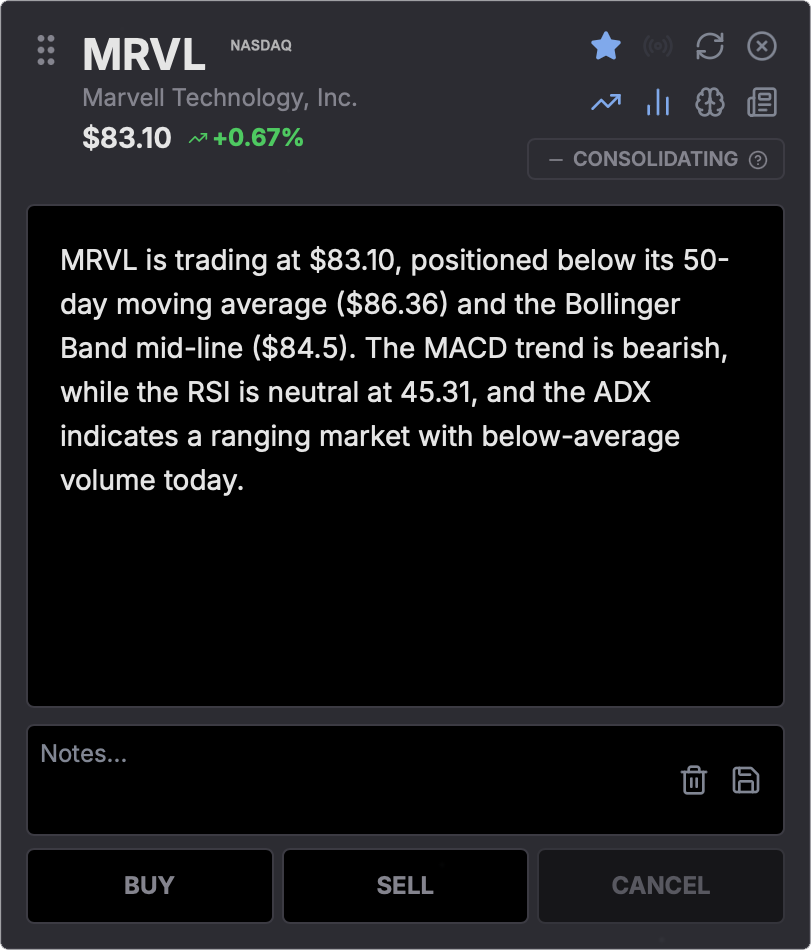
Add stocks to your watchlist manually or via CSV upload. When you run a scan, the AI fetches price data across three timeframes—24 hours (5-minute candles), 7 days (hourly), and 6 months (daily)—then calculates 11 technical indicators and sends the charts plus fundamentals to Google Gemini for analysis.

Momentum

RSI, MACD, Stochastic

Trend

ADX, SMA 20/50

Volatility

Bollinger Bands, ATR

Volume

VWAP, Volume Ratio

Smart Money

Short Interest, Institutional %

Options Flow

Put/Call Ratio, IV

Confidence Scoring

Each analysis includes a weighted confidence score. VWAP and volume account for 50% of the weight (institutional benchmarks), with RSI, MACD, Stochastic, ADX, and Bollinger Bands contributing the rest. When five or more indicators align, confidence is high. When signals conflict, the score drops accordingly—so you always know the quality of the setup.

Stock scanner interface

Scanner Results

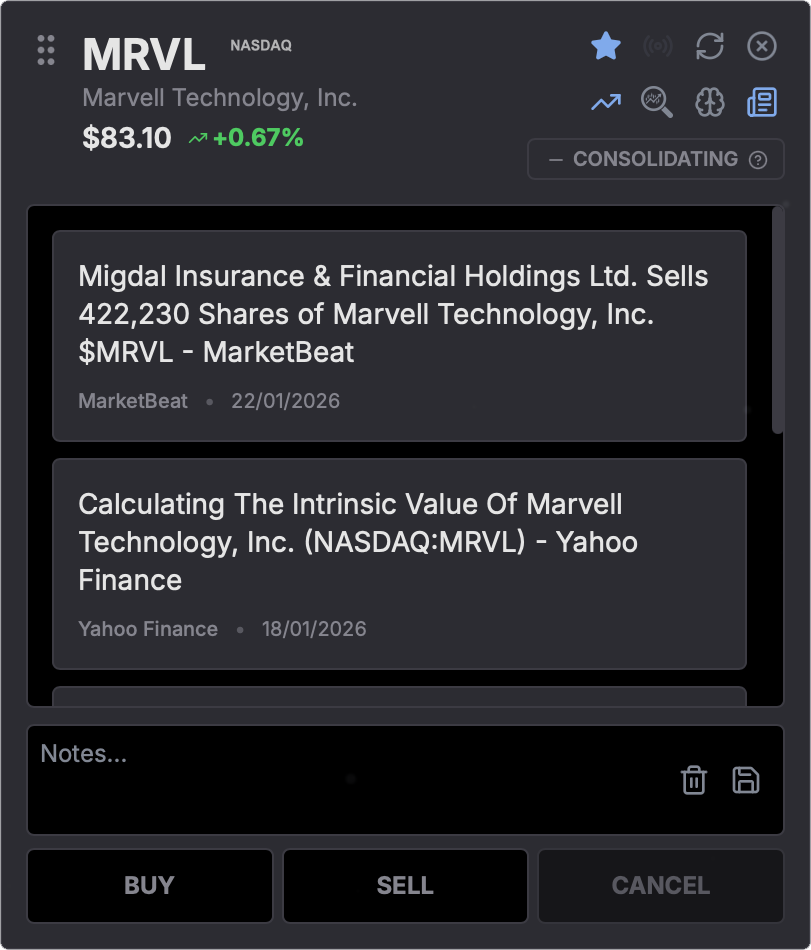
Each scanner result includes a detailed breakdown of the conditions that caused the stock to be flagged. This may include volume metrics compared to historical averages, momentum readings, earnings timing, gap behaviour, or technical events such as range breaks or trend reversals.\n\nRelevant supporting data is displayed alongside each result so traders can assess context and relevance without opening additional tools or views. This allows for rapid filtering and prioritisation.

Scanner results with detailed breakdown

Customizable Interface

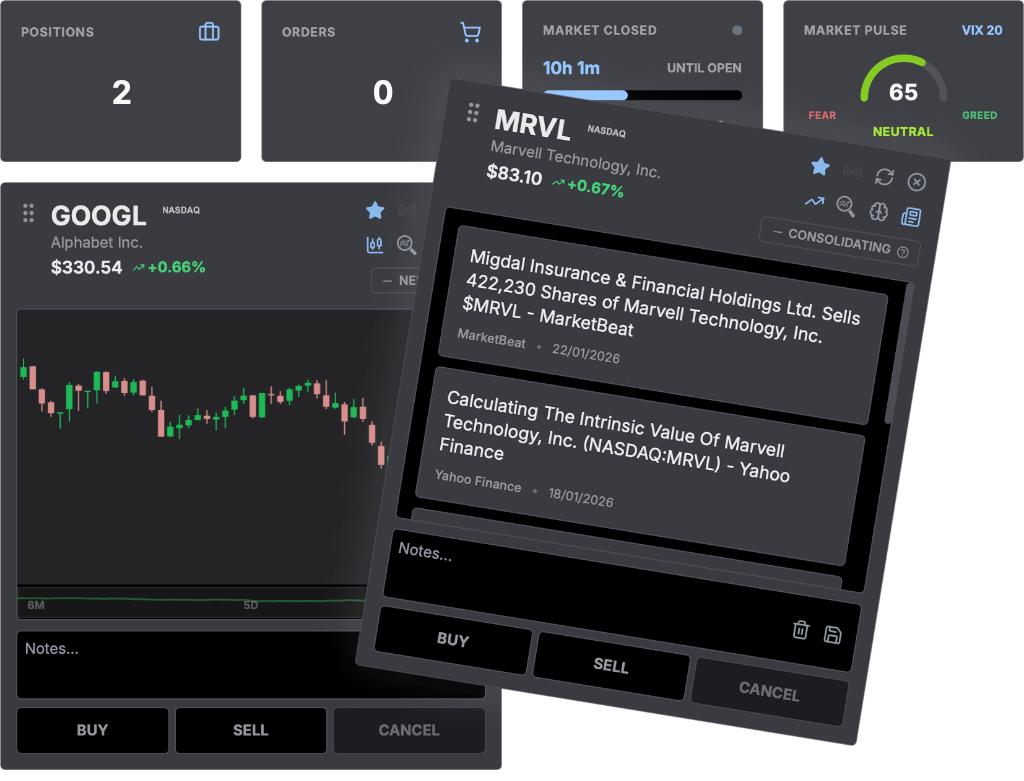
Drag, drop, and arrange every card to build your ideal workspace. Position your scanner results, charts, and analysis panels exactly where you want them. Your layout saves automatically and persists across sessions, so you can focus on trading rather than setup.

Draggable cards interface

Analyse the Setup

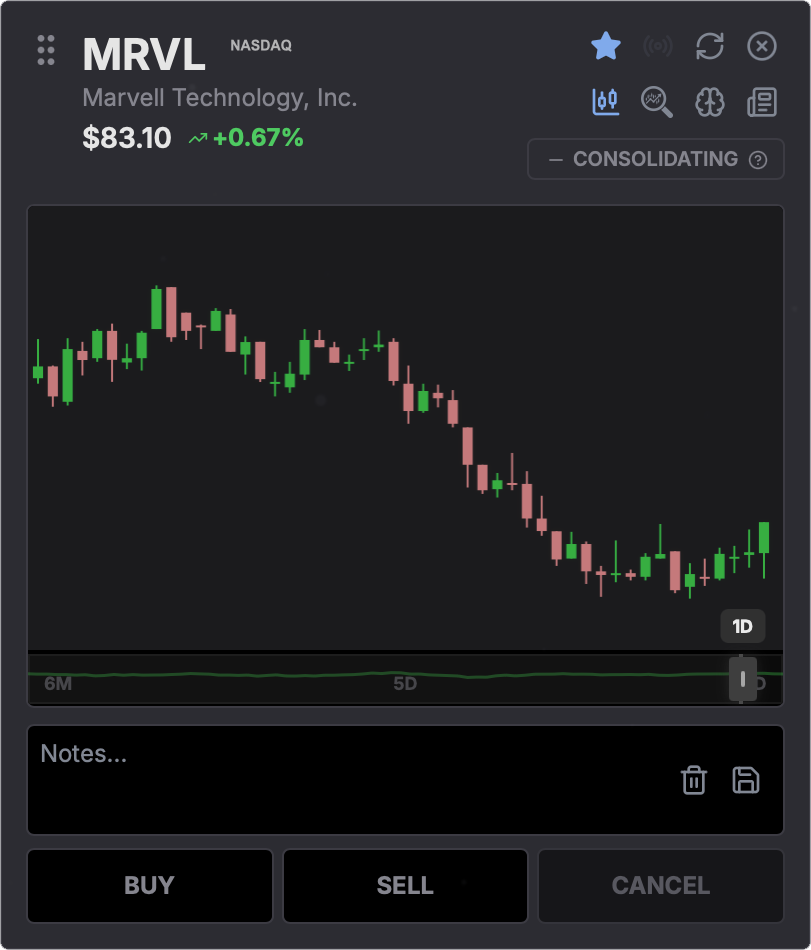
Charts are enhanced with key analytical overlays to support structured evaluation. This includes automatically plotted support and resistance zones, trend direction, recent volatility ranges, and momentum indicators.

Chart Analysis

By presenting structural context directly on the chart, traders can quickly assess potential entry areas, invalidation levels, and risk characteristics without manually drawing levels or configuring multiple indicators.

Chart analysis with overlays

Execute Trades

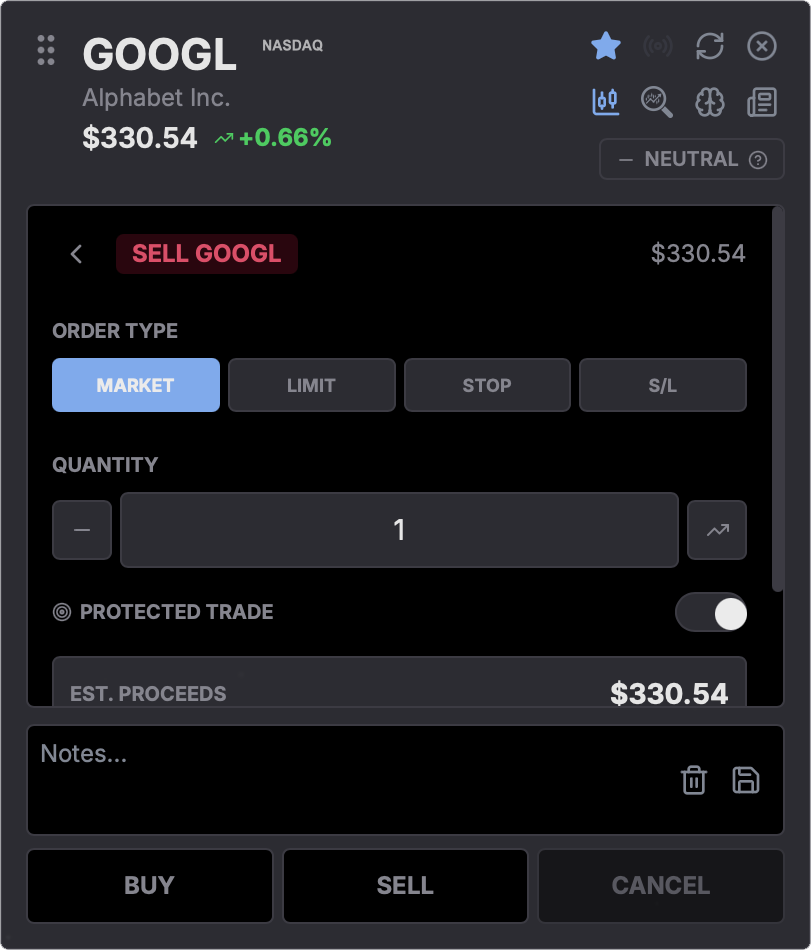
Trades can be placed directly from the chart interface, keeping execution closely tied to analysis. Market, limit, and stop orders are supported, with position size calculated automatically using predefined risk parameters.

Trade Simulator

The trade simulator allows traders to place simulated trades using live market data. This enables testing of position sizing, risk rules, and trade ideas without committing real capital.\n\nSimulated trades follow the same execution logic as live trades, making the tool suitable for strategy testing, skill development, and evaluating changes to risk management rules under real market conditions.

Trade simulator interface

Stay Organised

Notes can be attached directly to individual tickers to document trade rationale, key price levels, market context, and post trade observations. Notes persist across sessions and remain linked to the instrument.

Trade Journal

This creates a continuous record of decision making over time, supporting review, learning, and refinement of trading behaviour without relying on external journals or disconnected tools.

Trade journal and notes

Trading Toolkit

All core tools are integrated into a single workflow. Chart analysis, scanner results, order entry, and note taking are designed to work together rather than as separate modules.

This reduces context switching, shortens reaction time, and helps traders stay focused on decision quality rather than tool management during active market periods.

Chart overlays

Chart Overlays

See the market the way the system does. Important trendlines, support and resistance areas, and key structure levels appear directly on the chart as price moves. No digging, no guesswork. Just clear context in real time.

Order entry panel

Order Entry

Place trades directly from the chart without breaking concentration. Position size is calculated automatically using your risk settings, with support for market, limit, and stop orders so execution stays fast and intentional.

Smart notes on ticker

Smart Notes

Keep your thinking attached to the market. Add notes to any ticker to record trade ideas, entry logic, or important price levels. Everything stays saved and accessible across sessions, so your context is always there when you need it.

Portfolio View

The portfolio view provides a consolidated overview of current positions and exposure. Traders can monitor position size, directional bias, sector concentration, and overall risk from a single screen.

Position Management

This helps ensure individual trades remain aligned with portfolio level constraints and prevents unintended overexposure as new positions are added.

Portfolio position management